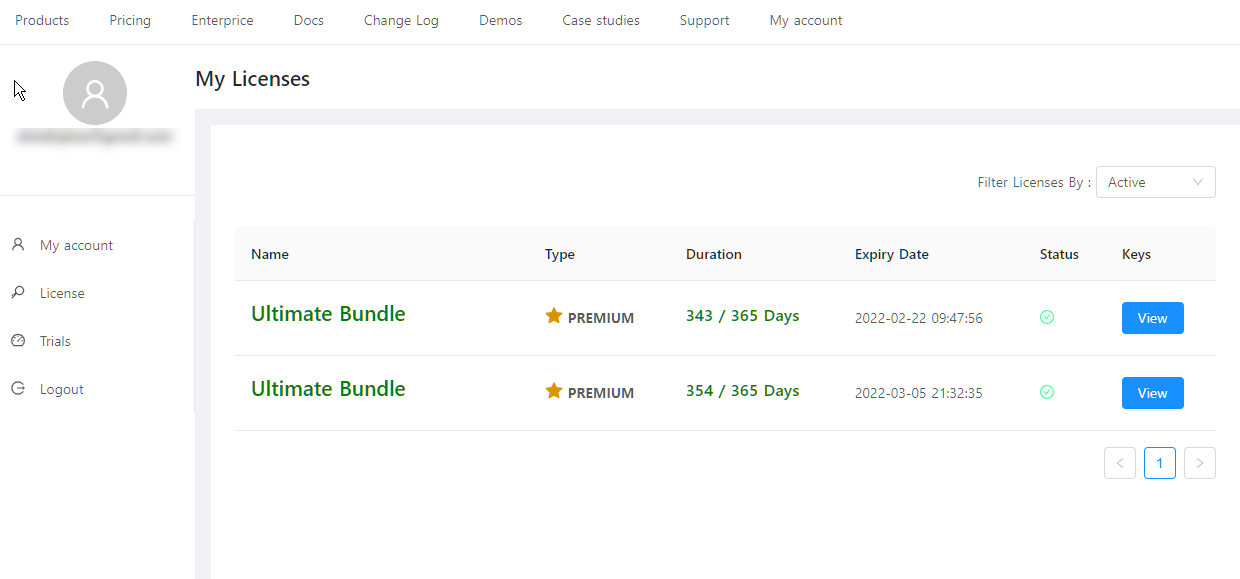
Managing your licenses
To manage your license kindly visit https://app.bunifuframework.com/ where you will be asked to login (see below). The login credentials for new users will be sent along upon purchase and for existing users, please enter your purchase email and password from previous logins.
All the steps below are also applicable to trial users.

Upon successful login, select License to see the products you purchased:
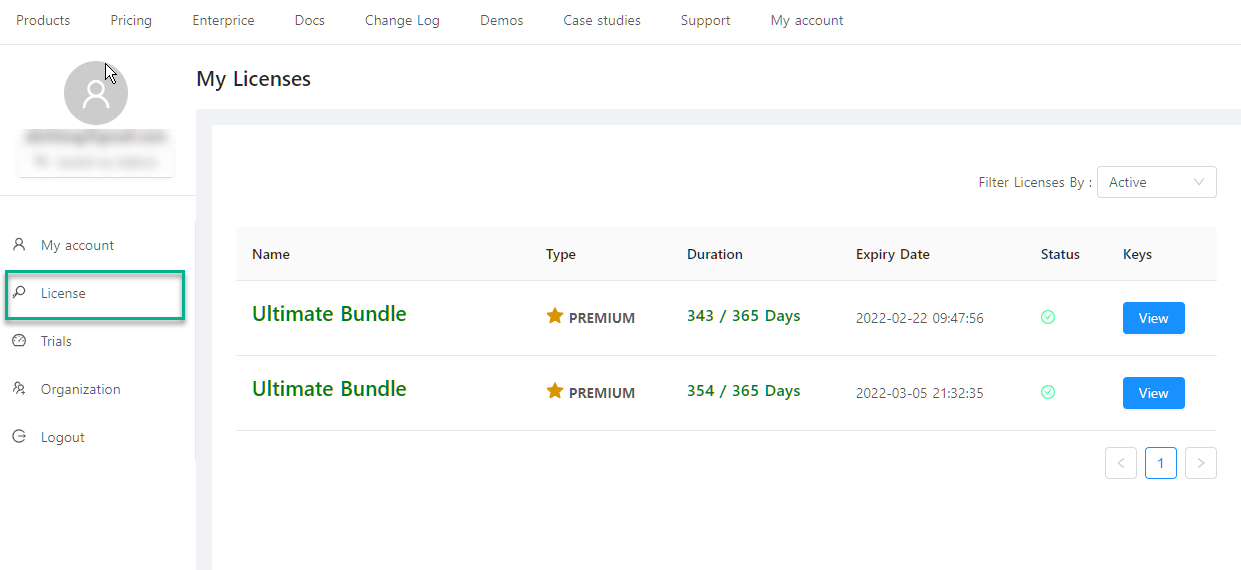
Select View to see your license keys and manage your devices:
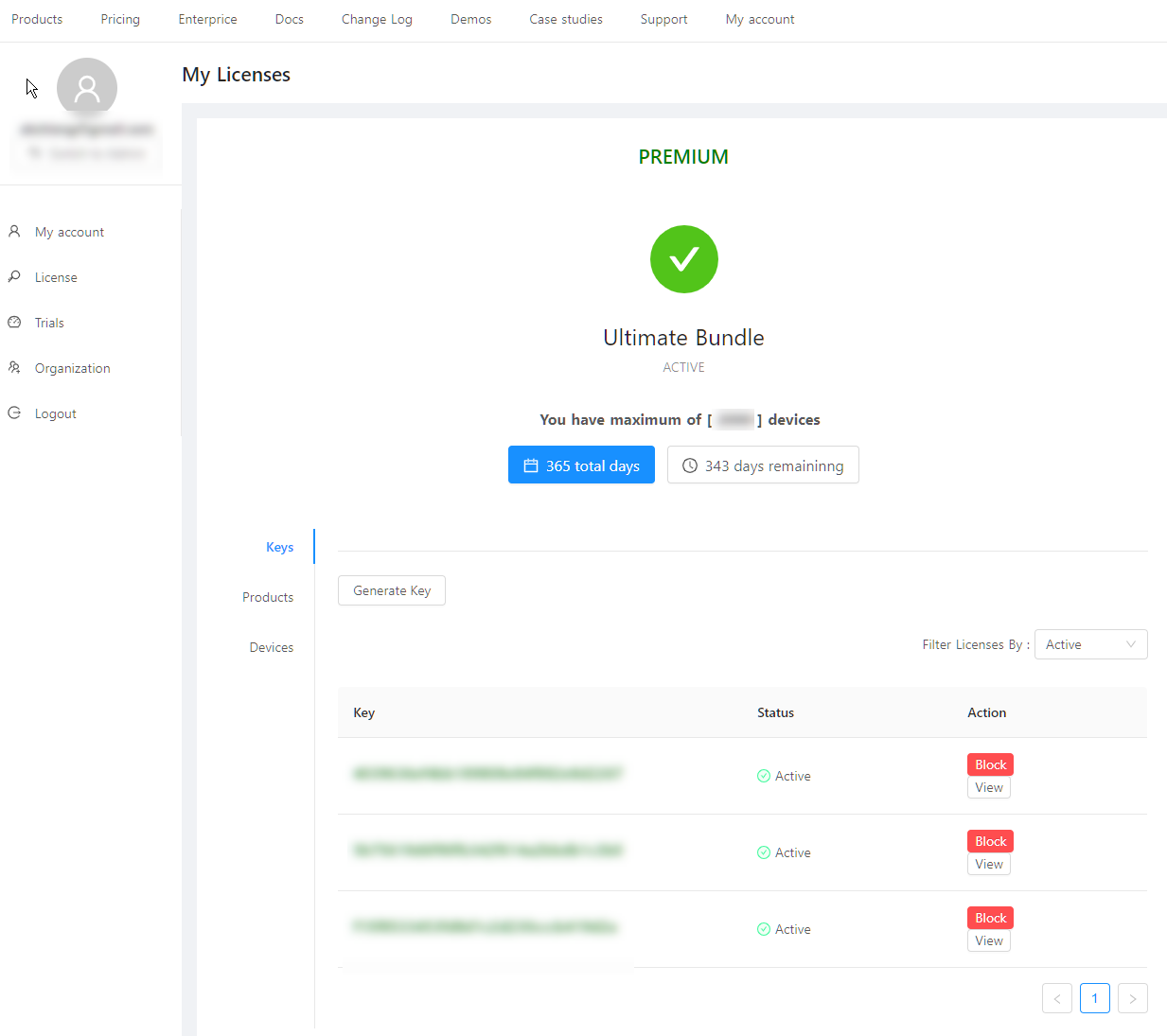
Select Products to view your products and Devices to see all your devices. You can also view the devices per license by selecting View on Keys tab. You can likewise Block a license key by clicking Block.
Organization Licenses
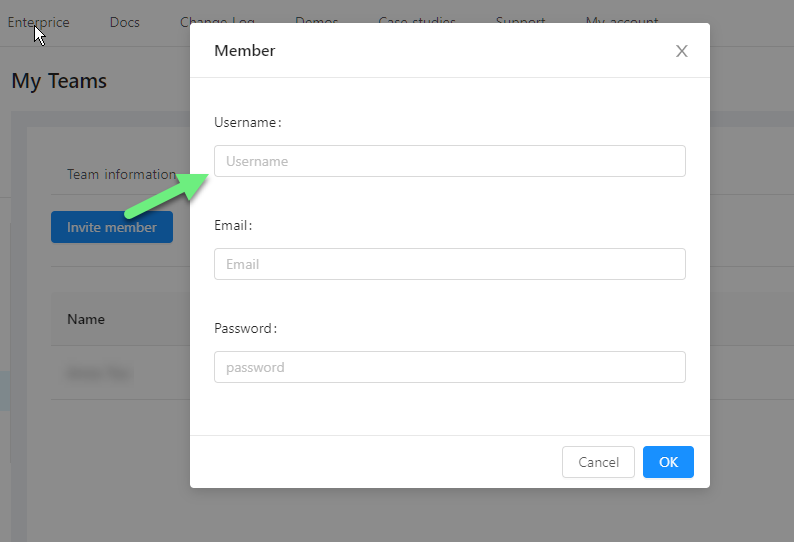
To manage a team, click the Organization tab and invite members if you haven't yet. Set up their credentials and from there they should be able to login and manage the team's product licenses:
After new member successfully login, below is the view where your new member(s) can manage their license and devices: